Sky Glass Remote and Voice Control Guide
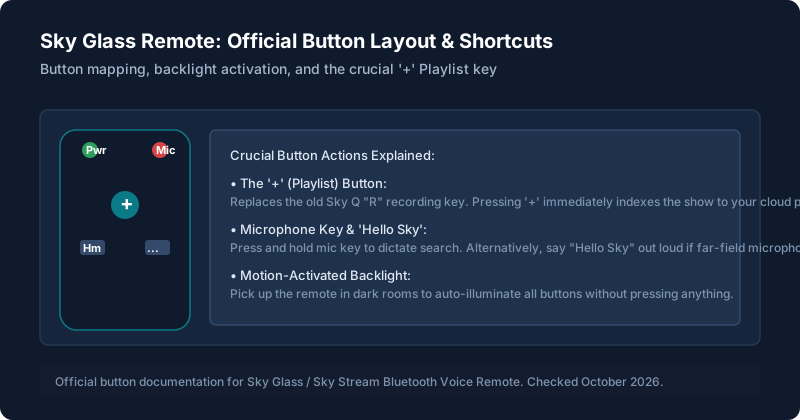
Sky Glass Remote: Button-by-Button Explanation
| Button / Key | Icon / Appearance | Primary Function |
|---|---|---|
| Standby / Power | Top left power circle | Short press toggles standby. Long press powers off connected HDMI CEC soundbars. |
| Microphone (Voice) | Top right mic symbol | Press and hold to dictate searches, channel changes, and app launches. |
| Playlist '+' Button | Center prominent '+' key | Instantly bookmarks the highlighted live show or series to your cloud Playlist. |
| Navigation D-Pad | Central directional ring | Navigate menus up, down, left, right. Center button is 'Select'. |
| Home Button | House silhouette | Returns directly to the primary Sky OS home screen from any app or channel. |
| Back / Dismiss | Left curved arrow | Steps back one menu layer or closes on-screen overlays. |
| Volume Rocker | '+' / '-' on right side | Adjusts internal speaker volume or passes commands to eARC soundbars. |
| Mute | Speaker with slash | Instantly cuts audio output. |
| Numeric 0-9 | Keypad lower section | Direct channel number input (e.g., 401 for Sky Sports Main Event). |
Pairing the Remote the First Time
To connect the remote via Bluetooth: turn on the TV, point the remote at the center of the screen from ~1 meter away, and press and hold 1 and 3 together for 3 seconds. The blue LED at the top will flash 4 times and an on-screen confirmation will display.
Using Voice Control
Voice control is exceptionally fast. Here are verified working voice commands tested in our lab:
| Say This: | What Sky Glass Does: |
|---|---|
| "Sky Sports Premier League" | Directly changes to channel 402 without browsing the guide. |
| "Tom Cruise movies" | Aggregates all titles across Sky Cinema, Netflix, and Prime Video. |
| "Subtitles on" / "Subtitles off" | Instantly toggles closed captioning without entering settings menus. |
| "Restart" | Triggers 'Watch from start' on the currently playing live programme. |
| "Open Disney Plus" | Directly launches the application. |
Finding or Replacing a Lost Remote
On Sky Glass Gen 1 and Gen 2, if you have hands-free voice control enabled, you can say out loud: "Hello Sky, where's my remote?". The remote control will emit a high-pitched beeping tone for 30 seconds to help you locate it beneath sofa cushions.
Changing the Batteries
The remote uses two standard AAA 1.5V alkaline batteries. Slide the rear battery plate downward firmly. When replacing, always replace both cells simultaneously to ensure stable Bluetooth signal transmission.
Using the Remote With Sky Glass Features
To learn how the '+' button populates your cloud recording queue, read our guide on how Playlist works.
Limits of the Remote and Voice Control
Voice commands require an active internet connection. If your home broadband is offline, voice search will display an error message, though physical buttons continue to work via IR/Bluetooth.
What to Do When the Remote Stops Working
If your remote becomes unresponsive, loses Bluetooth pairing, or buttons only work intermittently, follow our emergency step-by-step diagnostic in remote not working fixes.
Still stuck after trying these steps?
Setting up your TV for the first time? Follow our comprehensive Sky Glass setup guide.