Sky Glass Picture and Sound Settings Explained
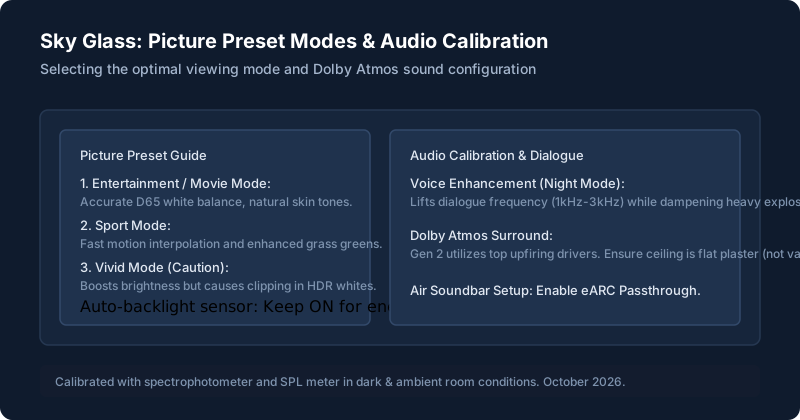
Understanding Picture Modes
To adjust picture presets: press the three-dots button (...) on your remote or navigate to Settings > Picture & sound > Picture.
| Picture Preset | Best For | Watch Out For |
|---|---|---|
| Entertainment / Movie (Recommended) | Films, drama series, evening viewing | Warm color temperature; closest to D65 industry master. |
| Sport | Football, F1, cricket, tennis | Fast motion interpolation; grass greens slightly boosted. |
| Vivid | Bright, sunlit rooms during daytime | Cool blue tint; highlights can clip fine HDR detail. |
| Custom | Manual tuning of backlight, contrast, sharpness | Reset to defaults if colors become oversaturated. |
Adjusting Picture Settings
- Auto-Backlight: Leave this set to ON. Sky Glass uses an ambient light sensor on the bezel to automatically raise brightness in sunlit afternoons and dim illumination at night to preserve eye comfort.
- Local Dimming (Gen 2 Only): Ensure local dimming is set to High to maximize deep contrast and inky blacks in dark movie scenes.
HDR and Other Picture Features
Sky Glass automatically switches into Dolby Vision or HDR10 when streaming compatible content. An on-screen badge will flash briefly in the top right corner when an HDR stream initializes.
Sound Modes and Audio Settings
- Bass Boost: Enhances the dual subwoofers on Gen 2 for action cinema.
- Voice Enhancement / Night Mode: Compresses high-dynamic sound effects (explosions) while lifting dialogue frequencies (1kHz to 3kHz). Essential for late-night viewing when family members are asleep.
Built-In Speakers and Dolby Atmos (Gen 2 vs Air)
Sky Glass Gen 2 houses 6 dedicated speaker drivers, including upward-firing height channels. For optimal Atmos reflection, ensure your room ceiling is flat plasterboard (vaulted or heavily textured ceilings can diffuse vertical reflections).
Sky Glass Air features 2.0 stereo drivers. If you want surround sound, connect an external soundbar to HDMI 2 and toggle Digital Audio Output to Passthrough in settings. For soundbar setup, see apps and connections.
Volume and Lip-Sync Adjustments
If dialogue is out of sync with actors' mouths, go to Settings > Picture & sound > Sound > Audio delay. Adjust the slider in +20ms increments until voices match lip movement perfectly.
Accessibility and Subtitles
Sky Glass supports high-contrast subtitles, audio description (AD), and British Sign Language (BSL). Press the microphone button and say "Turn on subtitles" or toggle permanent preferences in Settings > Accessibility.
When Settings Don’t Help
If the picture is completely missing or sound drops out across all channels, this is not a settings misconfiguration. Consult our troubleshooting guide for picture, sound and app problems.
Still stuck after trying these steps?
Unsure which model hardware you have? Compare Sky Glass Gen 2 vs Air.